How to use Fanket
Step by step, from your first sign-in to your first payout. Each section says why it matters, who needs it, and shows every click.
Create your wallet
Your balance lives in your own Solana wallet, not on Fanket.
A passkey protects it — your fingerprint, face or screen lock. Only you can sign.
Everyone who signed in with Google. You do it once.
Signed in with Phantom or MetaMask? You already have a wallet — skip this.
Create it
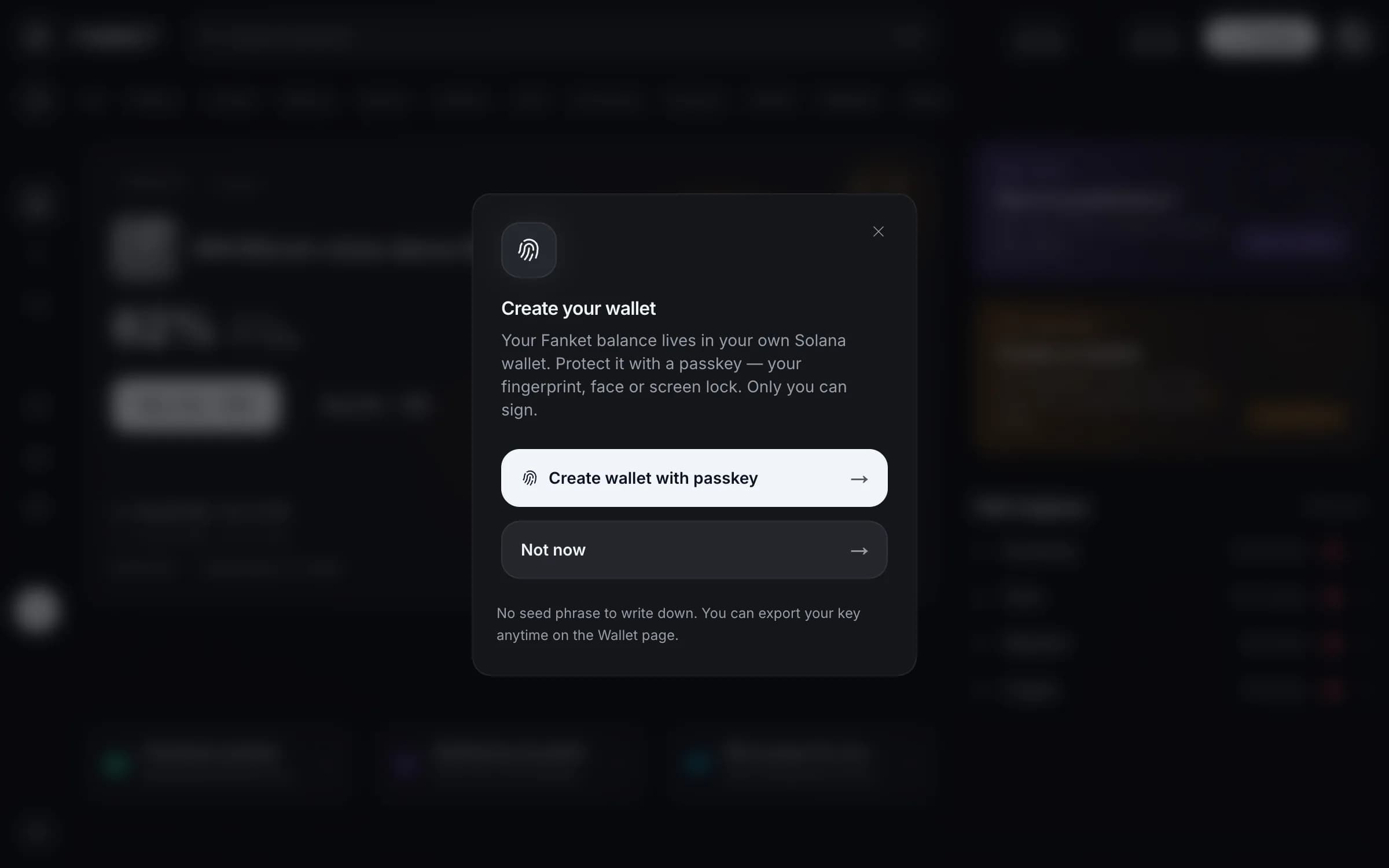
Right after your first sign-in Fanket offers a wallet. Press Create wallet with passkey.
Confirm it’s you
Your device asks for your fingerprint, face or screen lock. Confirm — the wallet is ready in a few seconds.
Pressed “Not now”?
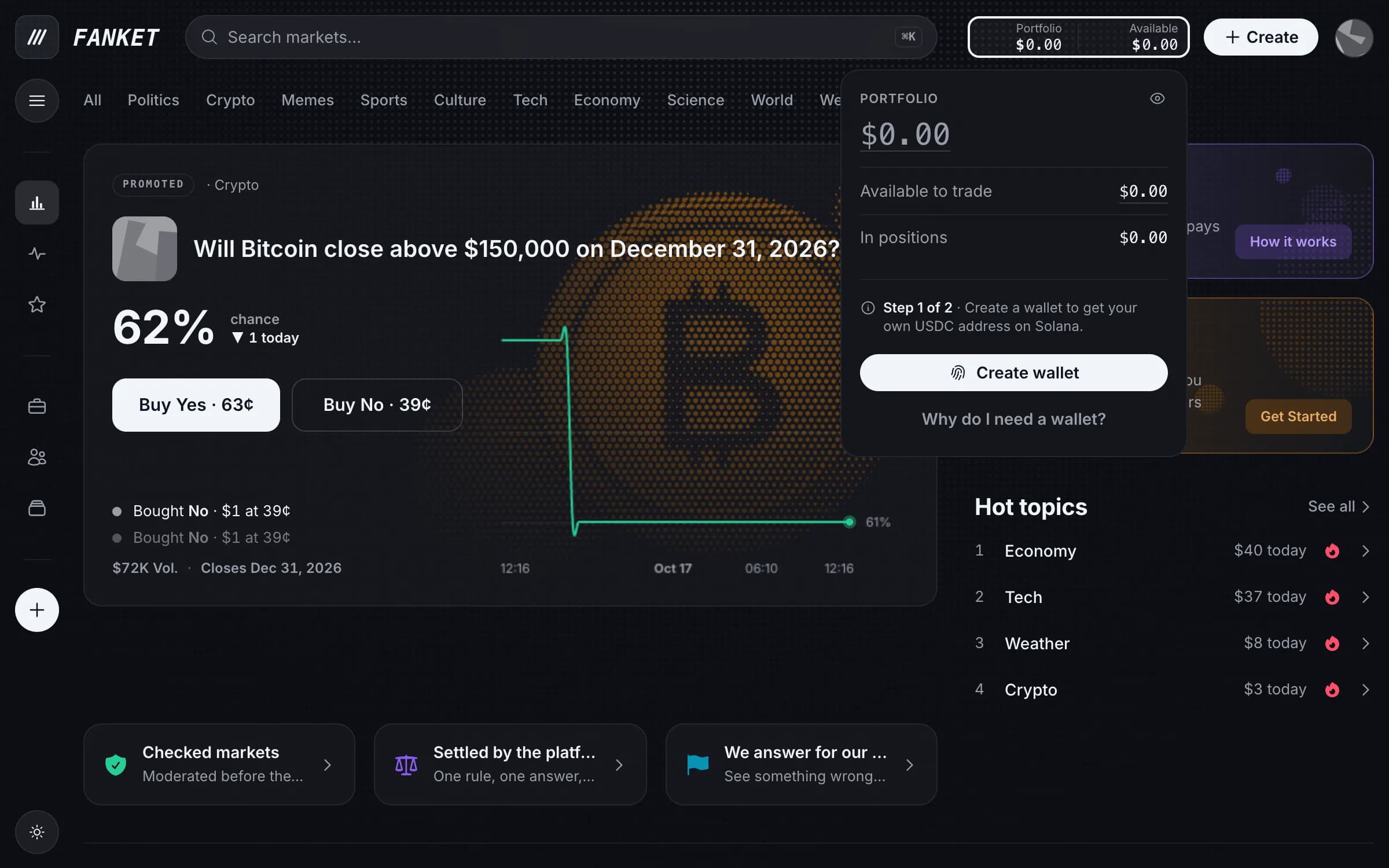
Open your balance in the top bar and press Create wallet whenever you are ready.
No seed phrase to write down. You can export the key any time — see Your wallet and key.