How to use Fanket
Step by step, from your first sign-in to your first payout. Each section says why it matters, who needs it, and shows every click.
Section 6 · 3 stepsStep 1 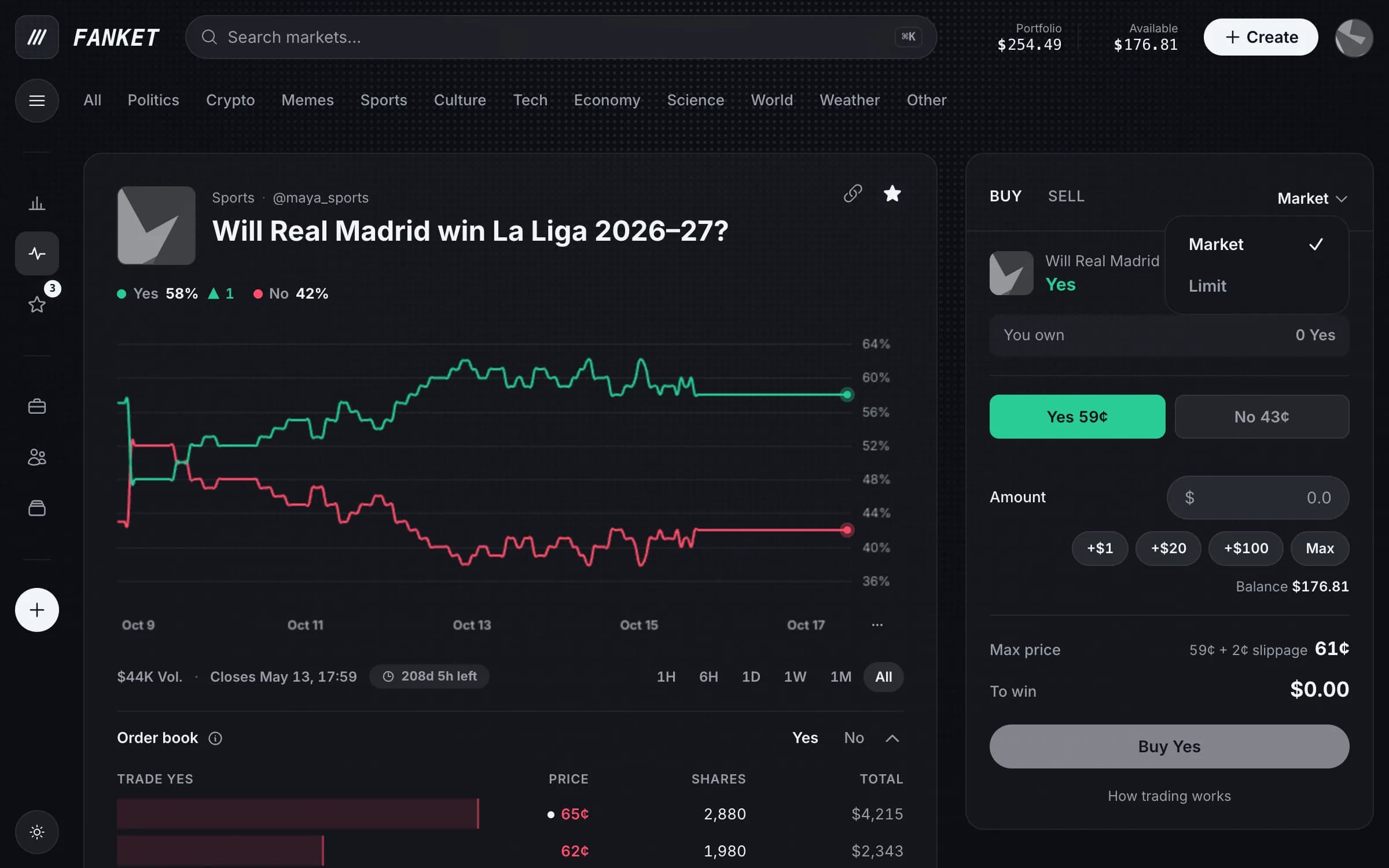
Step 2 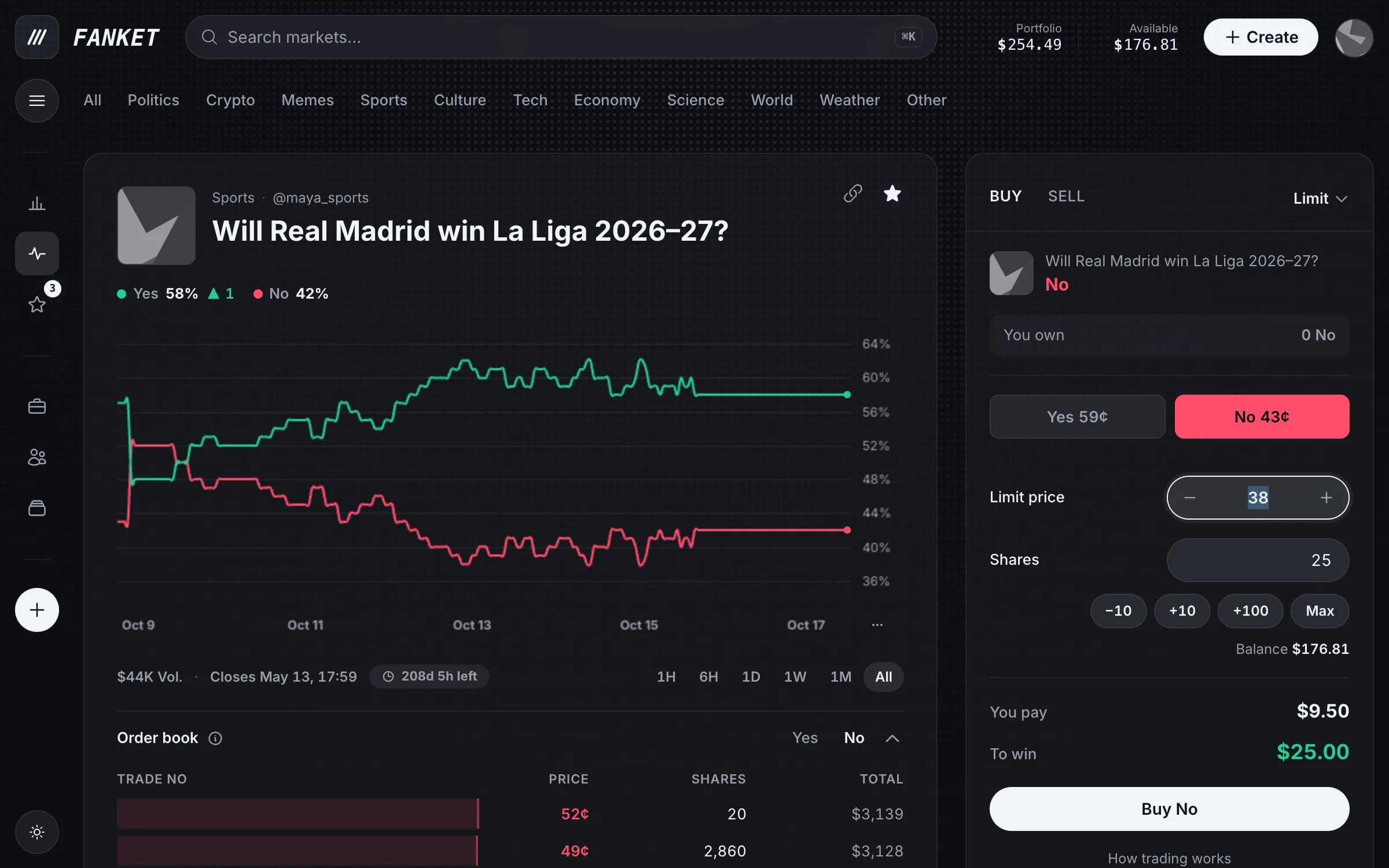
Step 3 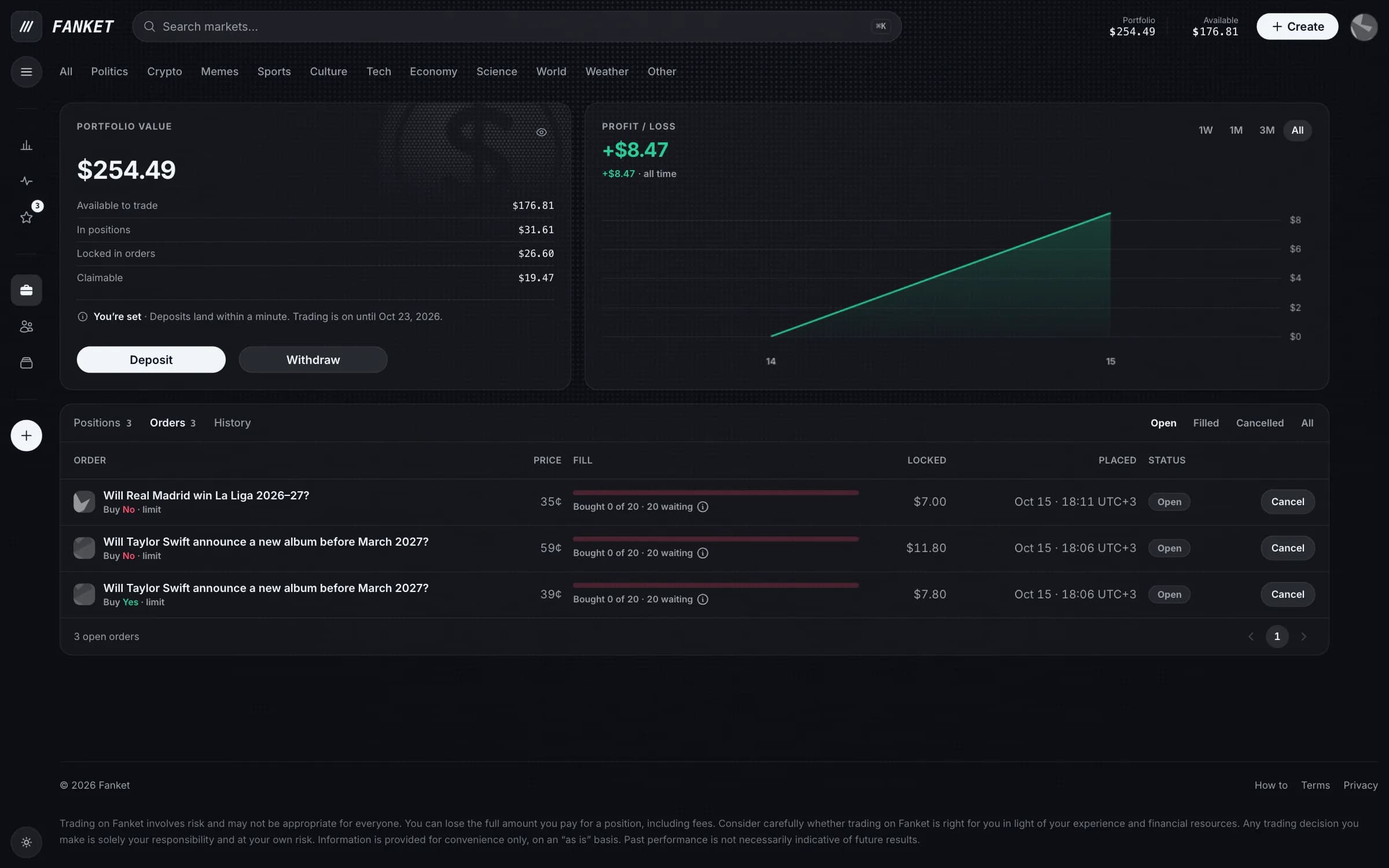
Limit orders
Why
A limit order waits in the order book until someone accepts your price.
Buy cheaper than now, or sell higher — and only at the price you set.
Who needs it
Traders who want an exact price and can wait for it.
Switch to Limit
In the trade panel, open Market and choose Limit.
Set your price
Set the Limit price and the number of Shares, then press Buy No (or Buy Yes).
Watch or cancel
Your order waits in Portfolio → Orders. Press Cancel to take it back — the money returns at once.
Your own orders are marked with a dot in the order book.