How to use Fanket
Step by step, from your first sign-in to your first payout. Each section says why it matters, who needs it, and shows every click.
Section 14 · 2 stepsStep 1 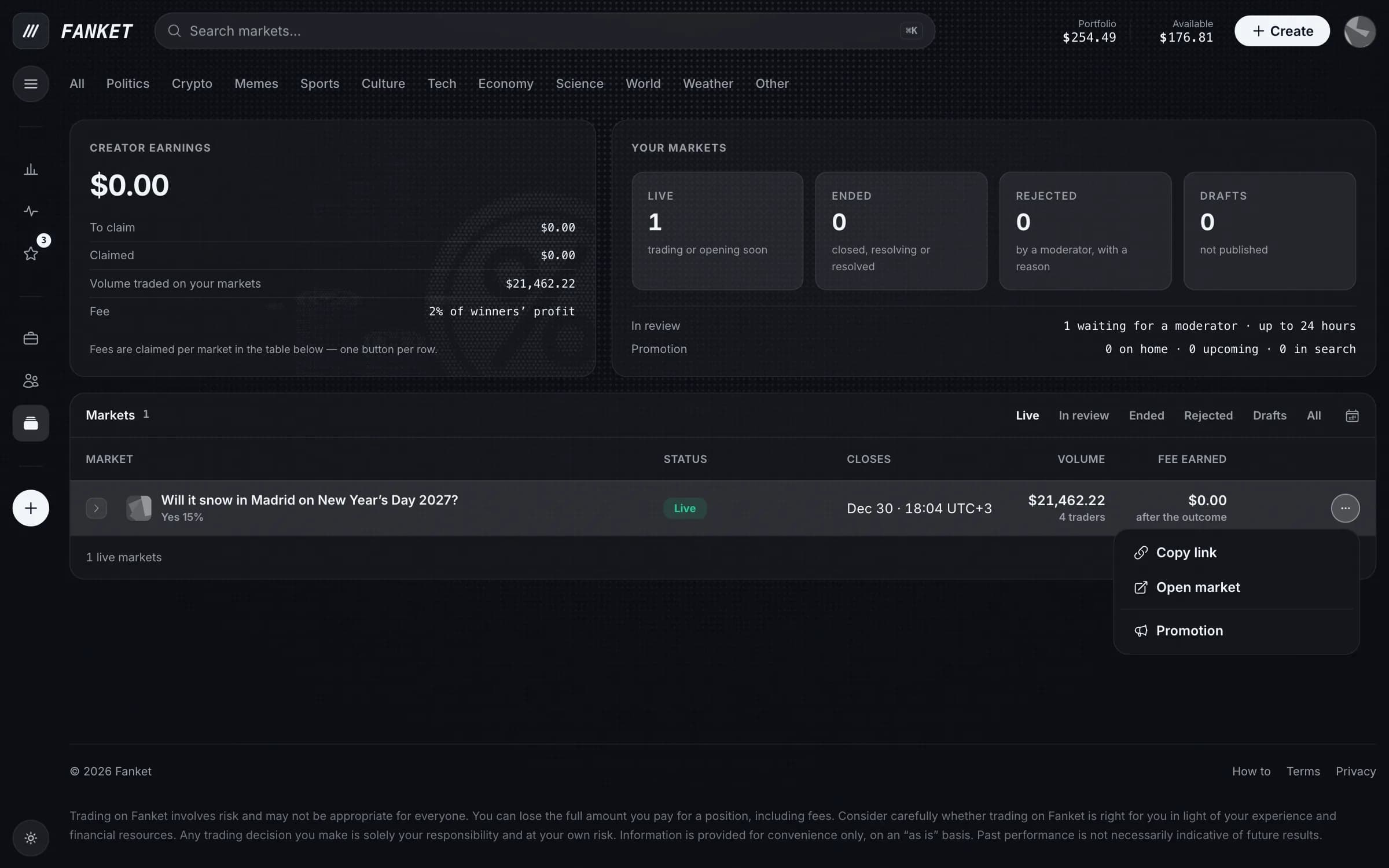
Step 2 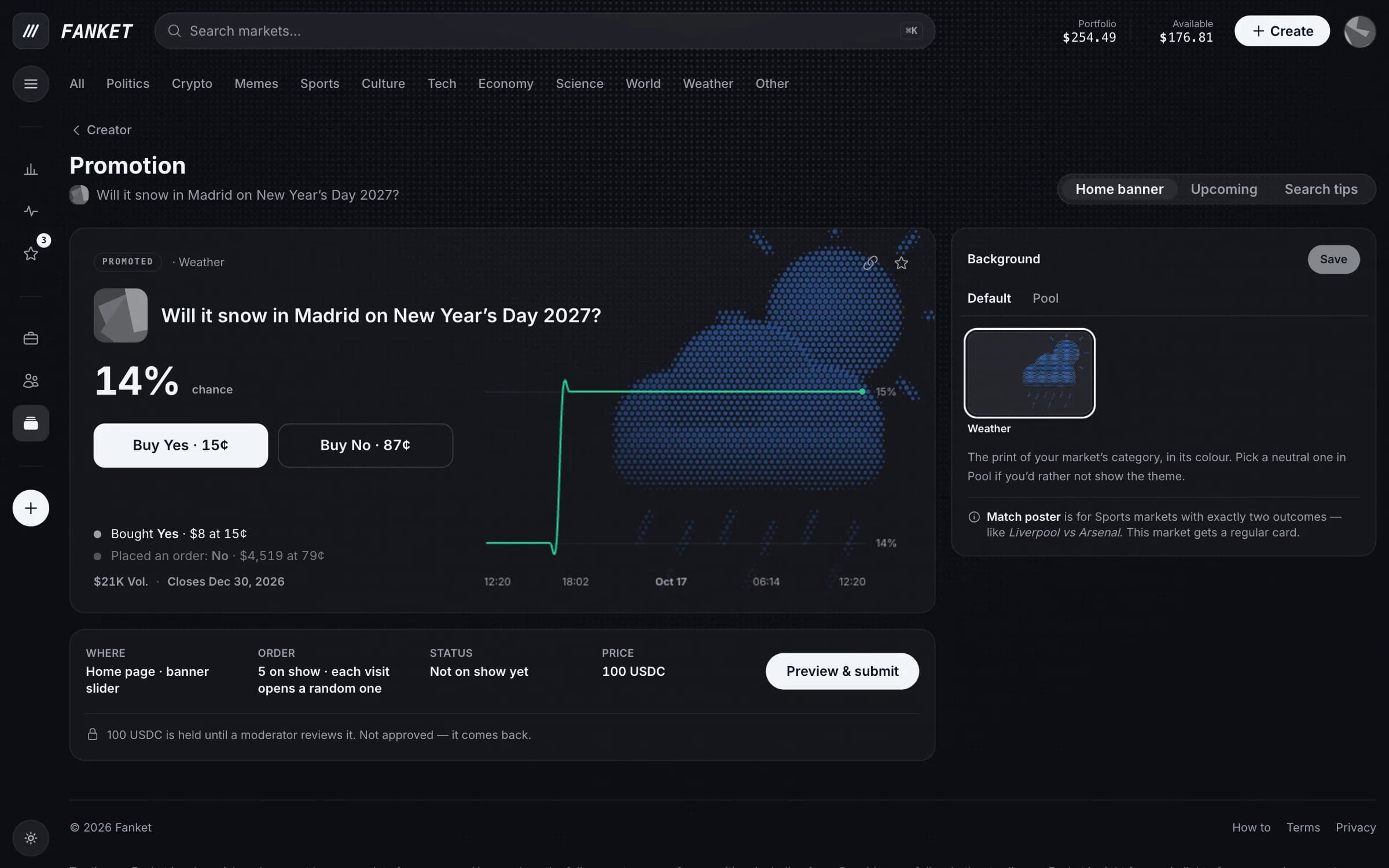
Promote it
Why
Show your market on the home banner, in Upcoming or in search tips — more people see it.
Who needs it
Creators of approved markets.
Open Promotion
On the Creator page, open the ⋯ menu of a live market and choose Promotion.
Pick and send
Pick where to show it, check the preview and press Preview & submit.
The payment is held until a moderator approves the promotion. Not approved — it comes back.