How to use Fanket
Step by step, from your first sign-in to your first payout. Each section says why it matters, who needs it, and shows every click.
Where your money is
Your money is held by the Fanket program on Solana. Only you can take it out.
You add money through one address — the one in the Deposit window.
Anyone who wonders where their USDC goes after a deposit.
Nothing to do here — this explains what happens.
Send to the Deposit address
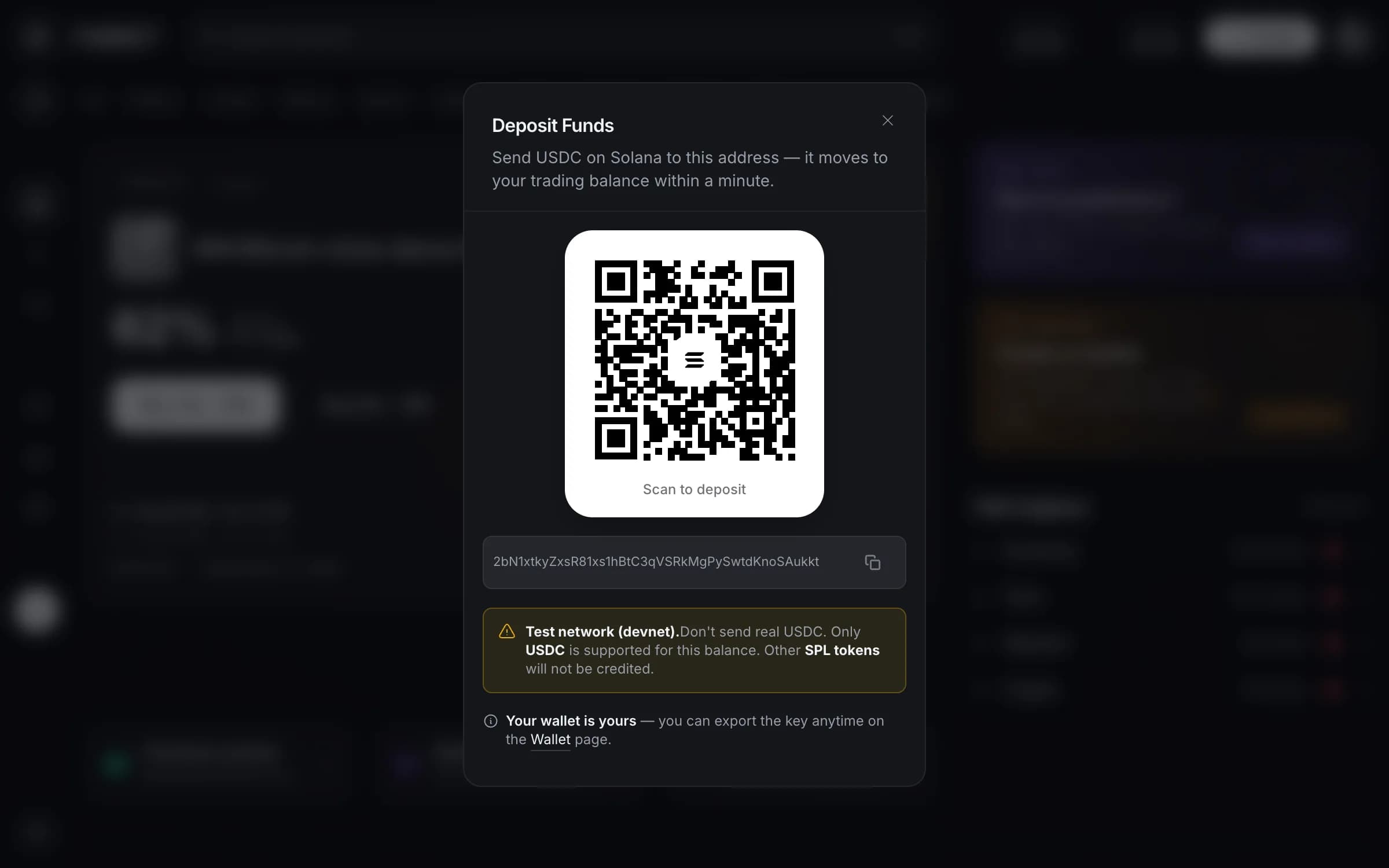
Press Deposit and send USDC on Solana to the address in the window. It is the only address you need.
It becomes your trading balance
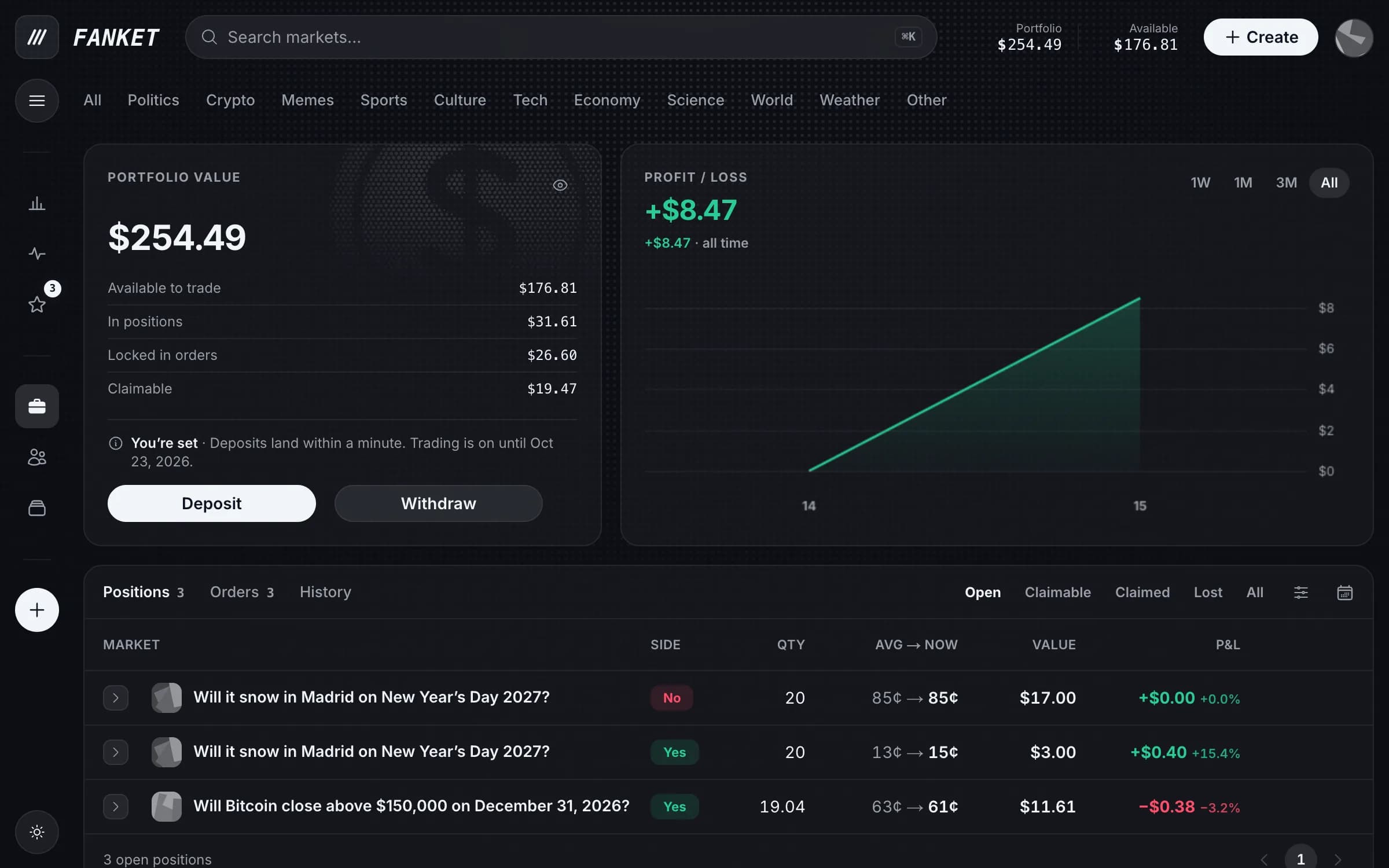
Within a minute Fanket moves it to your trading balance — the money you trade with. Portfolio shows it as Available to trade.
See it on Solscan
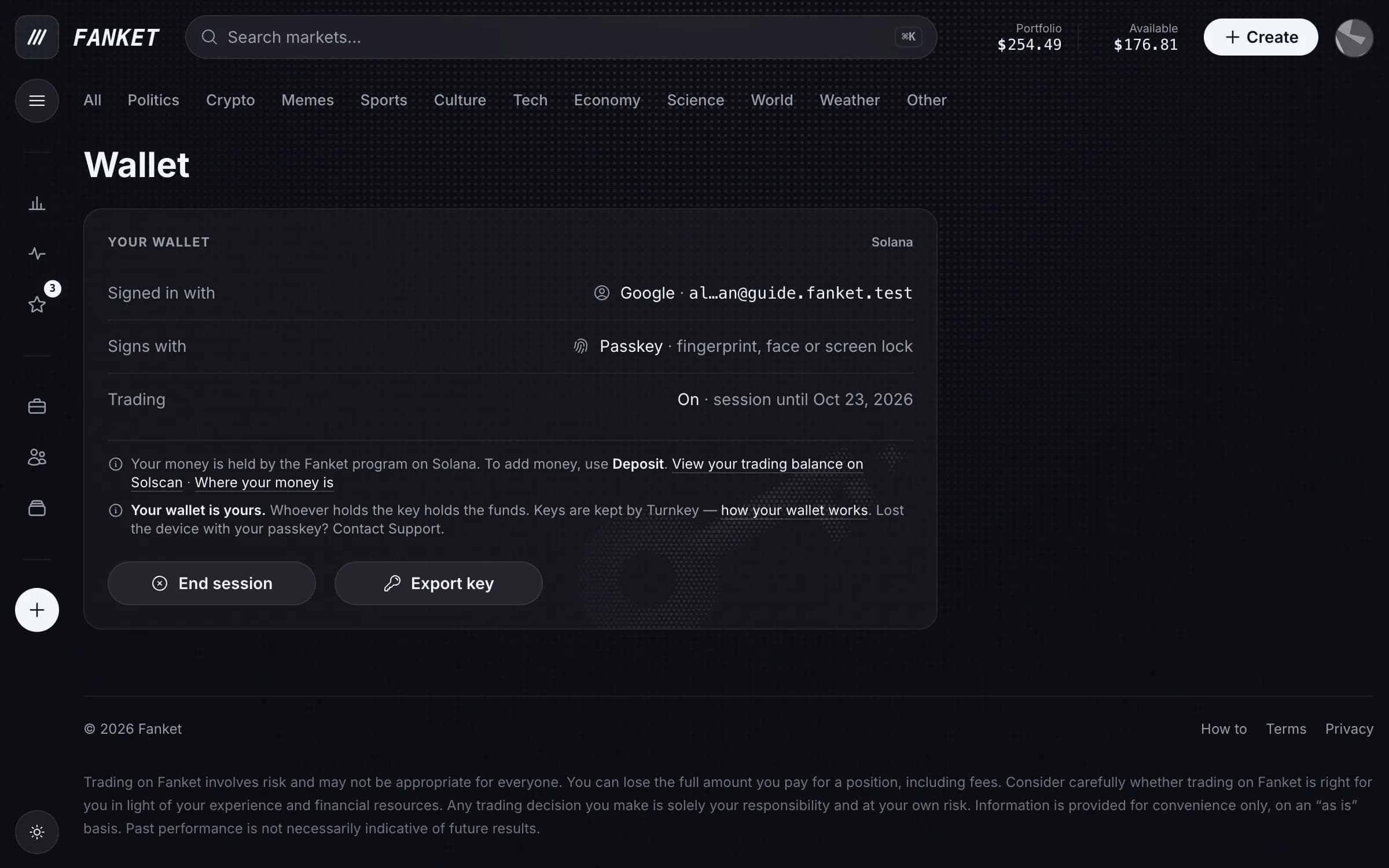
On the Wallet page, View your trading balance on Solscan opens it. Solscan calls it a Token Account; its Owner is your Fanket account, not another person.
Only you can take money out — Withdraw always asks you to confirm.
Fanket moves money in your trading balance only for orders and fees you signed.