How to use Fanket
Step by step, from your first sign-in to your first payout. Each section says why it matters, who needs it, and shows every click.
Your wallet and key
Your money answers to your key — Fanket can’t move it without your signature.
Export it once and keep it safe — it is the master key to your money.
Everyone who keeps money here. Do it once, right after your first deposit.
Signed in with Phantom or MetaMask? Your key already lives in that app — skip this.
Open your wallet
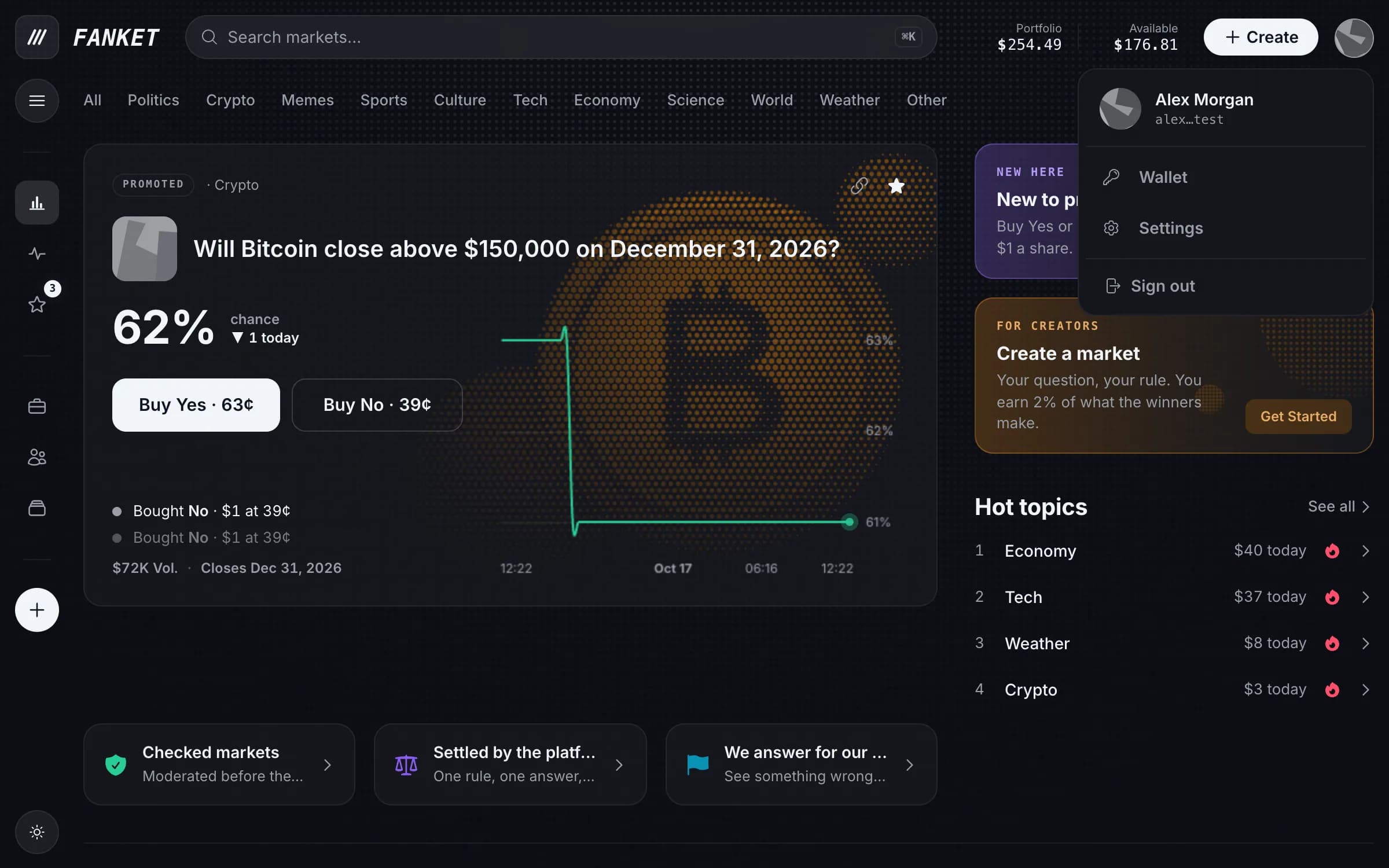
Click your avatar in the top right corner, then Wallet.
Start the export
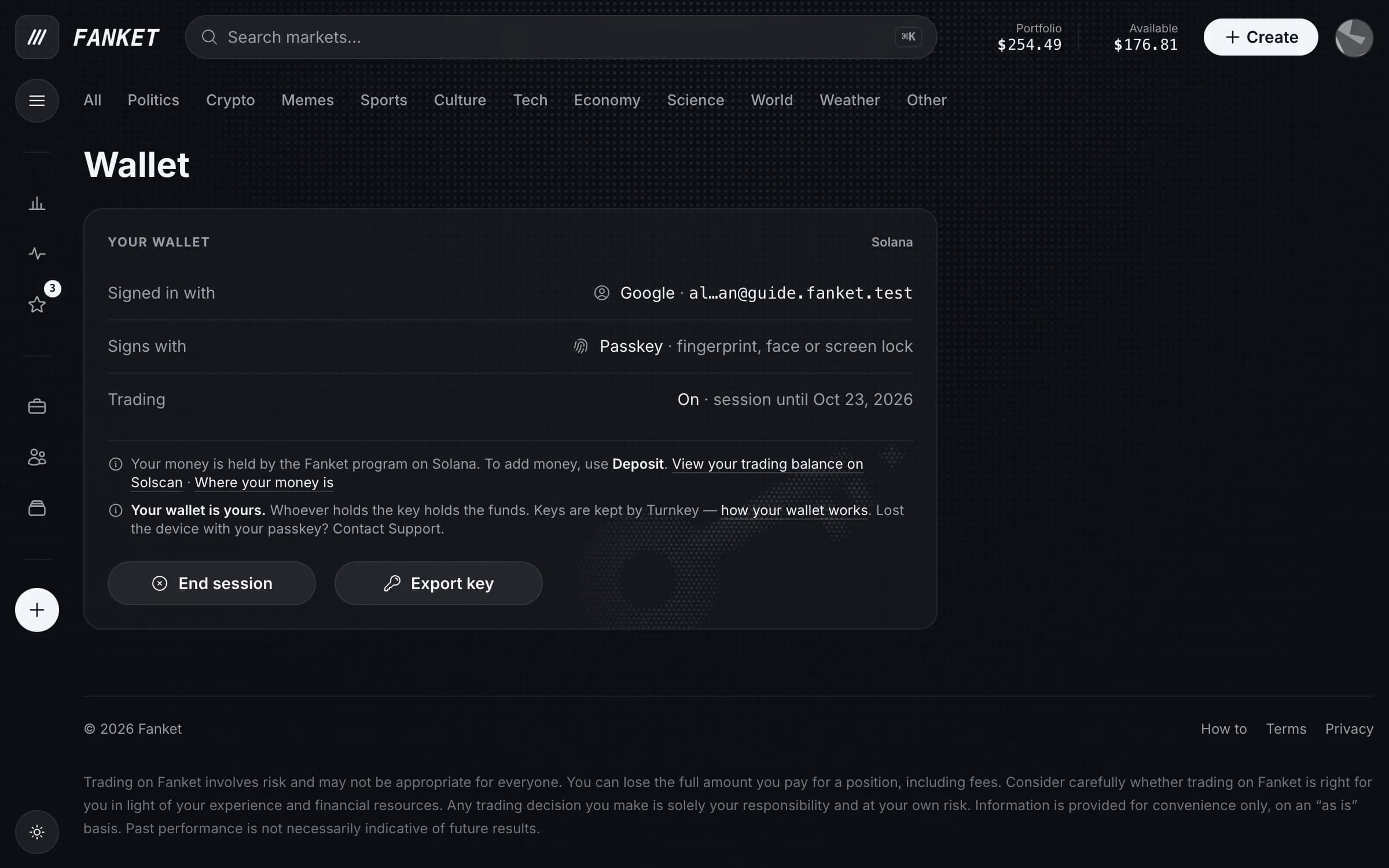
On the Wallet page, press Export key.
Confirm it’s you
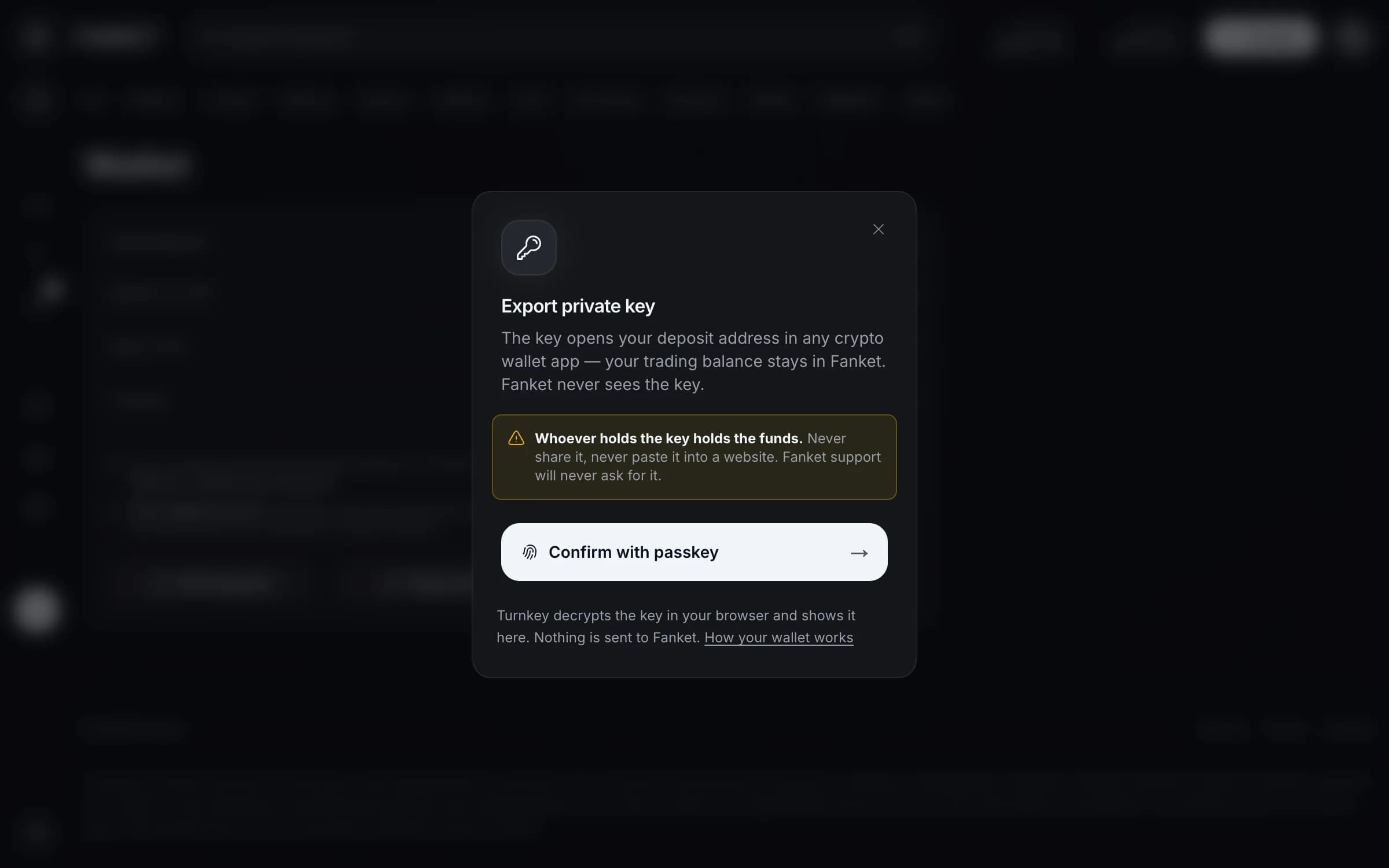
Read the warning, then press Confirm with passkey — your fingerprint, face or screen lock.
Keep it safe
Your key appears in the window. Write it down or save it in a password manager, then close the window.
Keys are kept by Turnkey — nobody, including Fanket, can sign for you.
Lost the device with your passkey? Contact Support.
End session on the Wallet page stops trading from this browser until you start a new session.